Introduction to Siemens Automation - 1st Time User Training
Introduction to the basics of Siemens TIA Portal programming and TIA Portal software to create functional and practical programming.

May 20th & 21st, 2026 (Wednesday & Thursday)
9:00 am - 4:00 pm
AWC, Inc | Conyers, GA
Details + Agenda
This course is designed for engineers that want to learn the basics of Siemens TIA Portal programming. It acquaints you with the TIA Portal software environment and, using a S7-1500 process with networked ET200SP, create functional and practical programming examples. This course will cover best programming practices and you will also create an HMI program that communicates with the S7-1500 processor.
Join us for this comprehensive workshop, conducted by a Siemens Automation Specialist, and learn the basics of Siemens TIA Portal Programming including:- TIA Portal Layout, engineering software packages, and more
- Commissioning S7 hardware, including S7-1200 and S7-1500 PLCs
- Crate a program using recommended best practices
- Integrate SINAMICS, commission it, and control it
- Integrate an HMI, transfer data, error reporting, diagnostics and more
Cost: $1,600 (limited space - Register Now)
Who Should Attend: Maintenance Technicians, Engineers, Rockwell users new to Siemens.
Day 1 - Siemens Foundations & Core PLC Programming
Module 1: Siemens Automation Platform Overview-
- Siemens automation ecosystem overview including:
- S7-1200 vs S7-1500 PLCs.
- ET200SP distributed I/O
- SINAMICS drives
- Unified HMI panels (portfolio overview only)
- What TIA Portal is and why Siemens uses a single engineering environment
- Siemens project structure at a high level
-
Rockwell Comparison Touchpoints
-
Studio 5000 + FT View vs single TIA Portal project
-
Integrated PLC, drive, and HMI engineering workflow
-
- Siemens automation ecosystem overview including:
Module 2: TIA Portal Navigation & Project Setup
-
- TIA Portal layout
- Project tree
- Device View vs Network View
- Creating and managing projects
- Online vs offline concepts
- Hands-On Lab: Create a new TIA portal project, add an S7-1200 or S7-1500 PLC, and explore device configuration and diagnostics views
- TIA Portal layout
Module 3: Hardware Configuration & Commissioning
-
- Hardware catalog and device selection
- PLC hardware configuration
- ET200SP I/O setup
- PROFINET basics
- Device names
- IP addressing
- Downloading hardware and going online
- Rockwell Comparison Touchpoints
- Siemens Device View vs Rockwell I/O tree
- PROFINET device naming vs Ethernet/IP configuration
- Hands-On Lab: Add ET200SP remote I/O, configure I/O modules, download configuration to PLC, verify module and network status
Module 4: PLC Programming Fundamentals (LAD + Intro to FBD)
-
- Siemens tag-based programming
- Program organization overview
- OBs (organizational blocks)
- FBs and DBs
- Ladder logic (primary focus)
- Rockwell Comparison Touchpoints
- OBs vs Tasks
- Tags vs controller-scoped tags
- Ladder similarities and differences
- Hands-On Lab: Create simple Ladder logic, motor start/stop example, brief FBD example using basic logic blocks, download and test code on hardware
Day 2 - Practical Programming, Diagnostics & Drives
Module 5: Practical PLC Programming & Troubleshooting
-
- Timers and counters
- Watch tables and online monitoring
- Forcing and simulation concepts
- PLC status and diagnostics
- Common commissioning and runtime issues
- Rockwell Comparison Touchpoints
- Siemens diagnostics buffer vs Rockwell fault screens
- Online monitoring workflow comparison
- Hands-On lab: Add timers and counters to logic, monitor tags online, induce and troubleshoot a simple fault
Module 6: Structured Programming Concepts (Light Touch)
-
- Why Siemen uses FBs and DBs
- Instance DB concept (high level)
- Maintaining readable and serviceable code
- Naming and documentation best practices
- Hands-On lab: Convert existing Ladder logic into a simple FB, observe instance DB behavior online, use cross-reference and search tools
Module 7: SINAMICS Drive Integration (Basic)
-
- SINAMICS drive families overview
- Drive integration inside TIA Portal
- Basics control concepts
- Start/Stop
- Speed reference
- Drive diagnostics overview
What Others are Saying
Discover how this training has equipped others with Siemens foundational concepts in TIA Portal.
"The course was very interesting, and the best part is that it is focused on solving, or teaching how to solve, problems, from hardware configuration to real troubleshooting in the field."
" I found the Siemens TIA Portal instruction and navigating through the software especially informative and useful."
"I was absolutely pleased with the quality of the instruction and material presented. I can begin to use the knowledge I gained immediately at work. The course was informative and fast-paced."
Meet Your Instructor
Learn from industry-leading Siemens Certified Specialists with years of hands-on experience in Siemens TIA Portal and industrial automation. They bring a wealth of practical knowledge and real-world insights to ensure you gain valuable skills you can apply immediately.
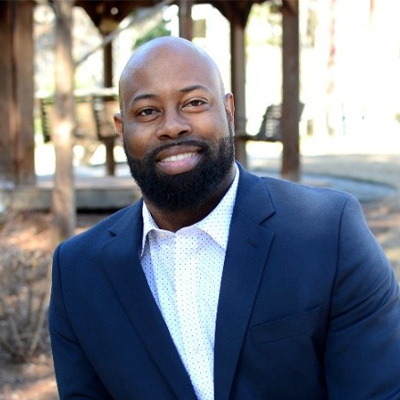
Troy Batth
Manager, Workforce Development SE
Siemens Automation Specialist
Troy, a controls engineer in Atlanta, GA, has 14 years of automation and control systems expertise. Holding a B.S. in Electrical Engineering from Southern Polytechnic State University, he is proficient in both Rockwell and Siemens platforms, showcasing a strong skill set in industrial controls and system integration.
Meet Your Workforce Development Team
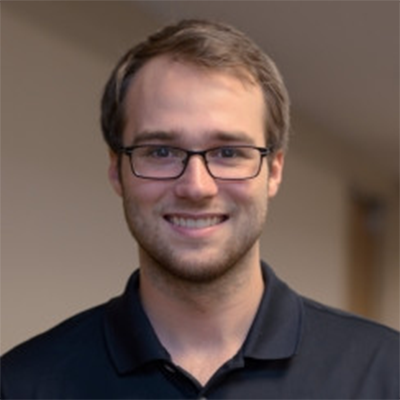
Ryan Hubacz
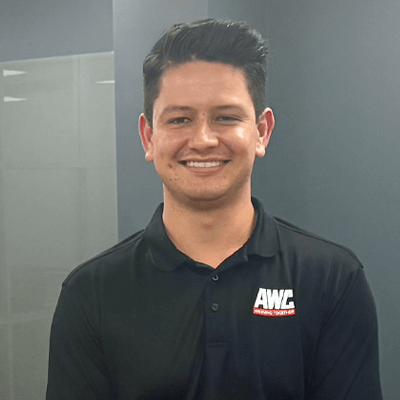
Matt Hynek
Technical Training Specialist
Siemens Automation Specialist
Matt Hynek is a certified Siemens Factory Automation Engineer based out of Houston, TX. He brings an energetic, fresh perspective to industrial automation controls and systems, and is proficient in PLC programming, HMI development, and drive commissioning & parameterization. He holds a B.S. in Mechanical Engineering from Texas Tech University.
Frequently Asked Questions (FAQs)
Q: Who should attend this Siemens TIA Portal training?
A: This training is designed for Maintenance Technicians, Engineers, and Rockwell users who are new to Siemens.
Q: What skills will I learn in this training?
A: You’ll gain foundational knowledge and skills in TIA Portal, Siemens software, building projects, commissioning hardware, and troubleshooting.
Q: What prerequisites are recommended for this course?
A: All you need is a basic understanding of electrical systems and PLC fundamentals. Your instructor will cover foundational concepts.
Q: Will I get hands-on experience with Siemens hardware?
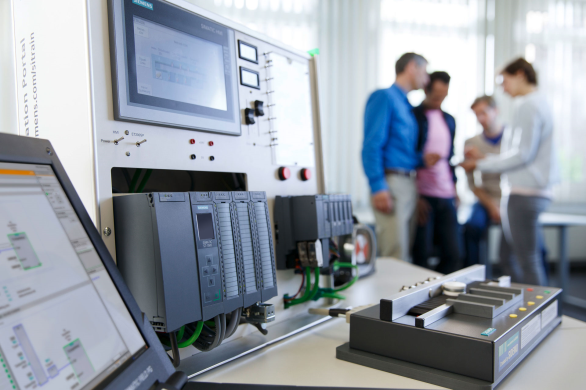
A: Definitely. This course features real-world lab stations with functional Siemens TIA Portal trainers so you can apply your learning in a safe, simulated environment.
Q: What materials will be provided?
A: All participants will receive comprehensive course materials, including detailed notes and application examples. Certificates of completion are available upon request.
Q: What are the hours for this event?
A: The training runs from 9:00 AM to 4:00 PM, with scheduled breaks.
Q: What about lunch?
A: Complimentary lunch is provided. If you have dietary restrictions, you may bring your own meal. A refrigerator and microwave will be available.
Q: Where is the training being held?
A: This training will be held at the AWC, Inc. Conyers, GA office at 700 Sigman Rd NE Suite #150, Conyers, GA 30013. If you're searching for “Intro to Siemens Automation” in Conyers or Atlanta, this is it.
Q: How can I register for this training?
A: You can register using the "Register Now" buttons on this page or at the “Reserve Your Spot” section below. For assistance, call us at 770-922-7225.

Featured Technology Partner